About Cleanvoice

As a passionate podcaster, I live for the conversation—the deep dives, the spontaneous laughter, the moments of insight. What I don’t live for is the grueling editing process that follows. For every 30-minute episode I recorded, I would spend at least two to three hours in a digital audio workstation, meticulously hunting down and slicing out every “um,” “ah,” “like,” and “you know.” I’d zoom in on the waveform to cut out awkward pauses and cringe-inducing mouth clicks. It was a tedious, soul-destroying task that made me question my passion. I knew there had to be a better way, which is what led me to search for free online tools and, ultimately, to Cleanvoice.

The website’s promise felt almost too good to be true: an AI that could remove background noise, filler words, long silence, and mouth sounds from your podcast automatically. It claimed I could do this without hitting the pause button every 10-20 seconds. Skeptical but desperate, I decided to try their free trial. The sign-up process was refreshingly simple; no credit card was required, and I was immediately given 30 minutes of free credit to test the service.

I chose a recent raw recording of an interview I had done. The audio was a mess. My guest was brilliant but had a habit of using “uh” as a thinking sound, my air conditioner had decided to kick in halfway through, and there were several long, awkward silences while we gathered our thoughts. Manually editing this file would have been a multi-hour nightmare.

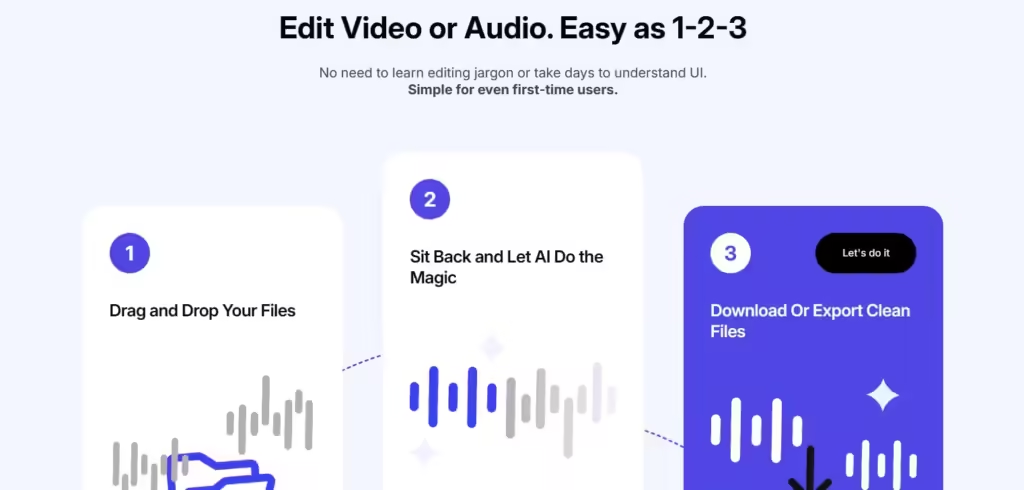
I uploaded the MP3 file to the Cleanvoice dashboard, a clean and minimalist interface. I was presented with a simple checklist of options. I ticked the boxes for:

  • Filler Words Remover
  • Mouth Sounds Remover (for those distracting clicks and smacks)
  • Silence Remover
  • Background Noise Remover

I hit the “Process” button and went to make a cup of coffee, fully expecting to come back to a half-finished job or a garbled mess. About five minutes later, a notification popped up. My audio was ready. I put on my headphones, clicked play, and was absolutely blown away.

The “ums” and “ahs” were just… gone. Not just crudely cut out, leaving jarring jumps in the audio, but seamlessly removed as if they were never there. The AI was intelligent enough to distinguish between a meaningful pause and dead air, trimming the long silences to create a more engaging and professional pace. The annoying hum of my air conditioner had vanished, leaving only our crystal-clear voices. The subtle mouth sounds I would have spent an hour hunting for were also eliminated. The entire 25-minute interview now sounded like it had been recorded in a professional studio and edited by a seasoned audio engineer.

What used to take me hours of painstaking, manual labor was completed by this podcast editing AI in less time than it took to brew my coffee. Cleanvoice has not just saved me time; it has saved my passion for podcasting. It allows me to focus on what I love—creating great content—and handles the most tedious part of the process for me. It’s an essential tool for any creator, whether you’re making podcasts, audiobooks, or voiceovers for videos. It’s the perfect first step before you even think about finding [free intro maker tools for your youtube channel], because great audio is the foundation of any quality content.

Key Features:

  • AI Filler Word Removal: Intelligently detects and removes filler words (ums, ahs, etc.), stutters, and repetitions in over 20 languages and accents.
  • Advanced Background Noise Cancellation: Eliminates common background noises like hums, traffic, fans, and room echo to deliver studio-quality sound.
  • Mouth Sound & Click Remover: Automatically identifies and removes distracting non-verbal sounds like lip smacks, clicks, and sharp breaths.
  • Dead Air & Silence Removal: Smartly trims long, awkward pauses from your recording, tightening the pace and keeping your listeners engaged.
  • Multitrack Editing: Upload separate audio files from multiple speakers, and Cleanvoice will edit and sync them together into a cohesive episode.
  • Timeline Export (EDL): For advanced users, you can export an edit decision list to import into professional software like Adobe Audition or DaVinci Resolve for final tweaks.
  • Podcast Mixing & Loudness Normalization: Ensures consistent volume levels throughout your episode and between different speakers for a professional listening experience.

Frequently Asked Questions:

  • How does the AI handle different languages and accents? Cleanvoice’s AI is one of the most versatile on the market. It supports filler word detection in over 20 languages, including English, German, French, and Spanish. It’s also been trained on a wide variety of accents (e.g., Australian, Irish, etc.), making it highly effective for global creators and interviews with international guests.
  • Will the AI editing sound robotic or unnatural? This is a common concern, but Cleanvoice excels at creating natural-sounding edits. The AI is context-aware, so when it removes a filler word or trims a silence, it does so in a way that preserves the natural cadence and flow of the speech, avoiding jarring cuts.
  • Can Cleanvoice edit video podcasts as well? Yes, Cleanvoice supports both audio and video files. You can upload a video file, and the AI will process the audio track, removing all the unwanted sounds. You can then download the cleaned-up audio track to sync with your original video.

What's free in Cleanvoice

For anyone exploring free online tools for podcasting, understanding the trial or free tier is crucial. I went through the process with Cleanvoice, and here’s a straightforward Q&A guide to what you get for free.

  • Q: Does Cleanvoice have a free plan I can use every month? A: Cleanvoice doesn’t offer a recurring monthly free plan. Instead, it provides a one-time free trial that is incredibly generous and useful. When you sign up, you get 30 minutes of free credit added to your account.
  • Q: Do I need a credit card to access the free 30 minutes? A: No, and this is a huge plus. You can sign up and use your 30 minutes of free trial credit without providing any payment information. This makes it a completely risk-free way to test the full power of the platform on your own audio.
  • Q: Are there any features locked during the free trial? A: Not at all. The 30 free minutes give you access to the entire suite of Cleanvoice features. You can use the filler word remover, background noise cancellation, mouth sound removal, silence trimming, and even the multitrack editing capabilities. You are getting a full-featured experience, not a limited demo. This is the best way to determine if the tool fits your workflow.
  • Q: What happens after I use my 30 minutes of credit? A: Once your 30 minutes are used up, you will need to upgrade to a paid plan to process more audio. There are two main options: a monthly subscription (which gives you a certain number of hours per month at a lower per-hour rate) or a “Pay-As-You-Go” credit purchase. The pay-as-you-go option is great for creators who may not publish on a fixed schedule.

My experience with the Cleanvoice free trial was that it’s designed to prove its value unequivocally. Thirty minutes is enough to clean a full podcast episode or several shorter recordings. It allowed me to directly compare the hours I would have spent editing manually versus the few minutes it took the AI. After seeing the results on my own project, the value proposition of the paid plans was immediately clear. It’s a perfect free alternative to test before you commit, and an essential tool in any podcaster’s toolkit, right alongside a good [free audio recording software].

Is Cleanvoice free to use?

Cleanvoice can be used for free
Submit a Free Tool

Stop wasting hours on tedious audio editing. Try Cleanvoice for free and get a studio-quality podcast in minutes!

More Free Tools and Resources

Still unsatisfied? 😒 We have few more resources for you. Try now!

Submit your free resource and make someone's day!

We’re curating some great free online resources. Help our community with your knowledge on free resources.

Scroll to Top